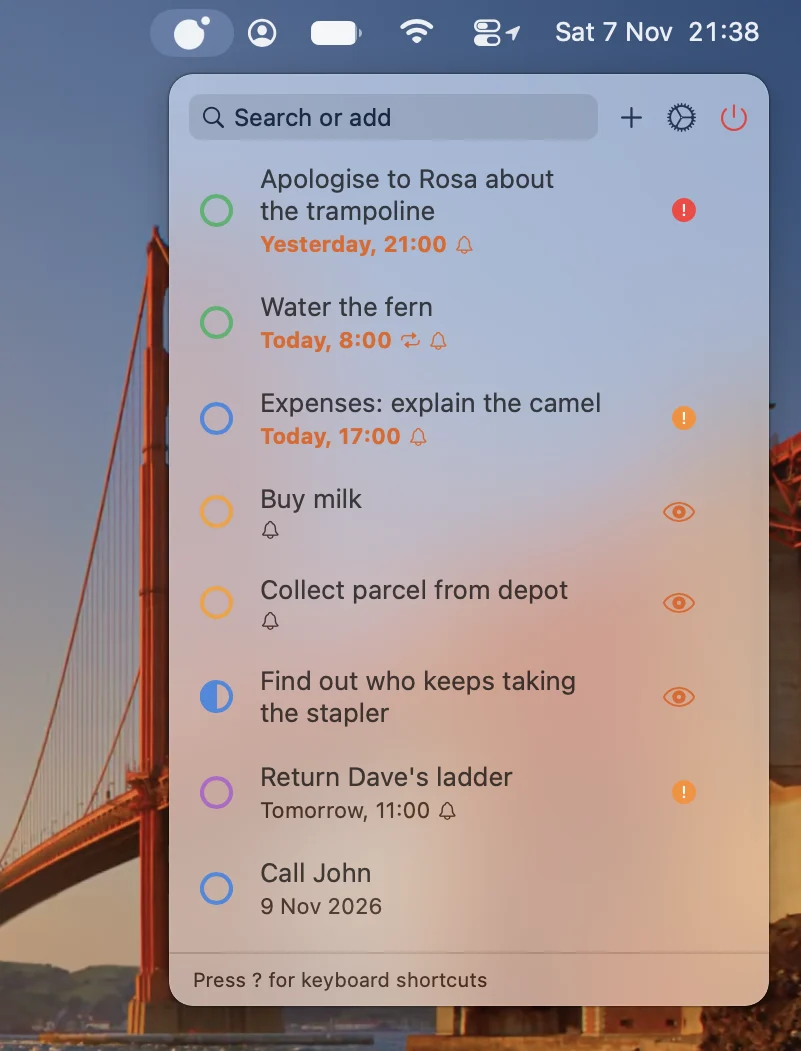

One click away
Cerquita keeps your Apple Reminders in the Mac menu bar. Open them with a click or a global keyboard shortcut of your choice, without leaving the app you’re working in.
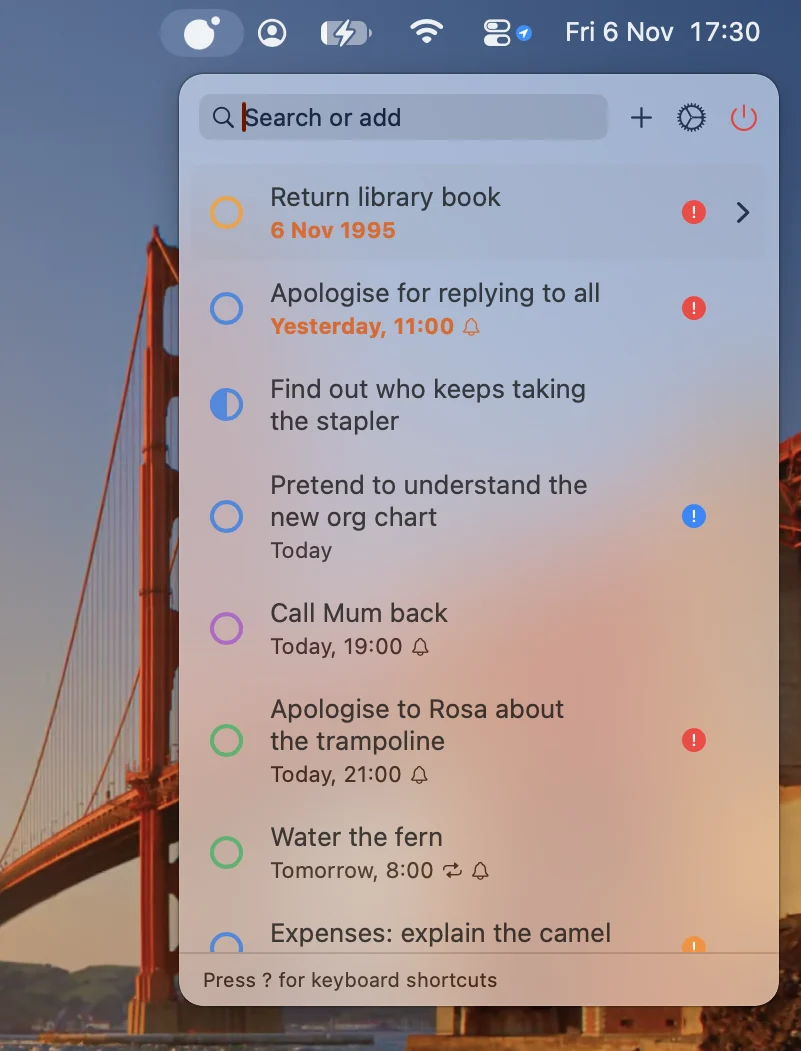
Sorted your way
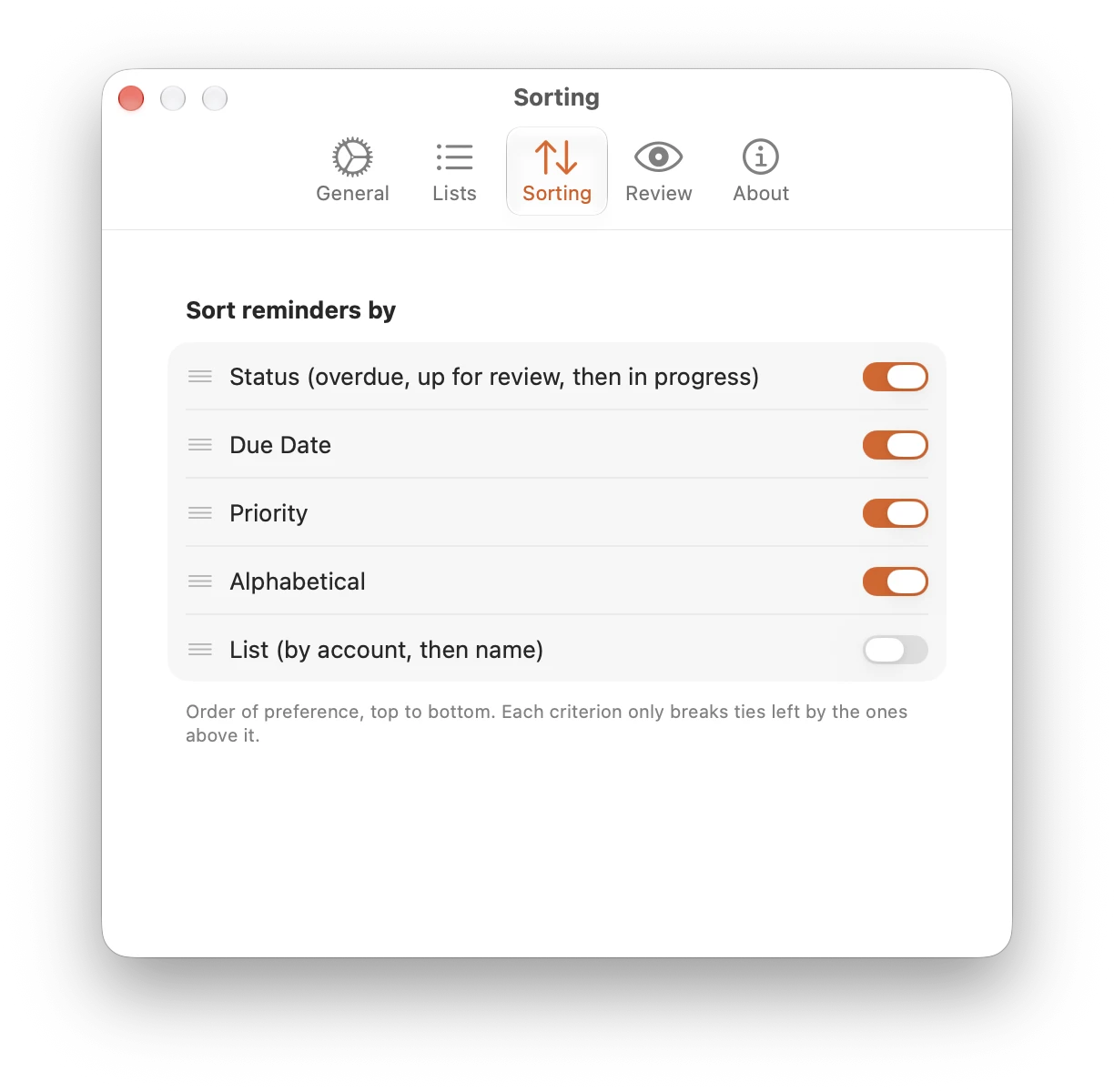
Switch on what matters to you, from status and due date to priority, title and list, then drag those options into the order you want. Each one breaks ties left by those above it.
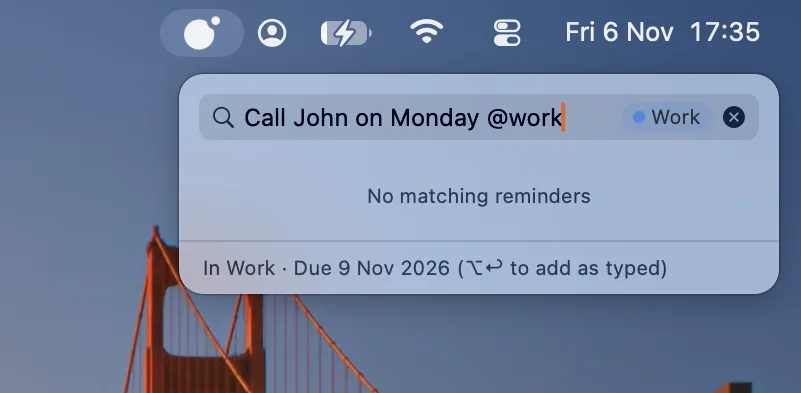
Search or add, in one place
The same field finds existing reminders and adds new ones. Type “Call John on Monday @work”, and Cerquita recognises the due date and the list, so your new reminder is just “Call John”.
Made for the keyboard
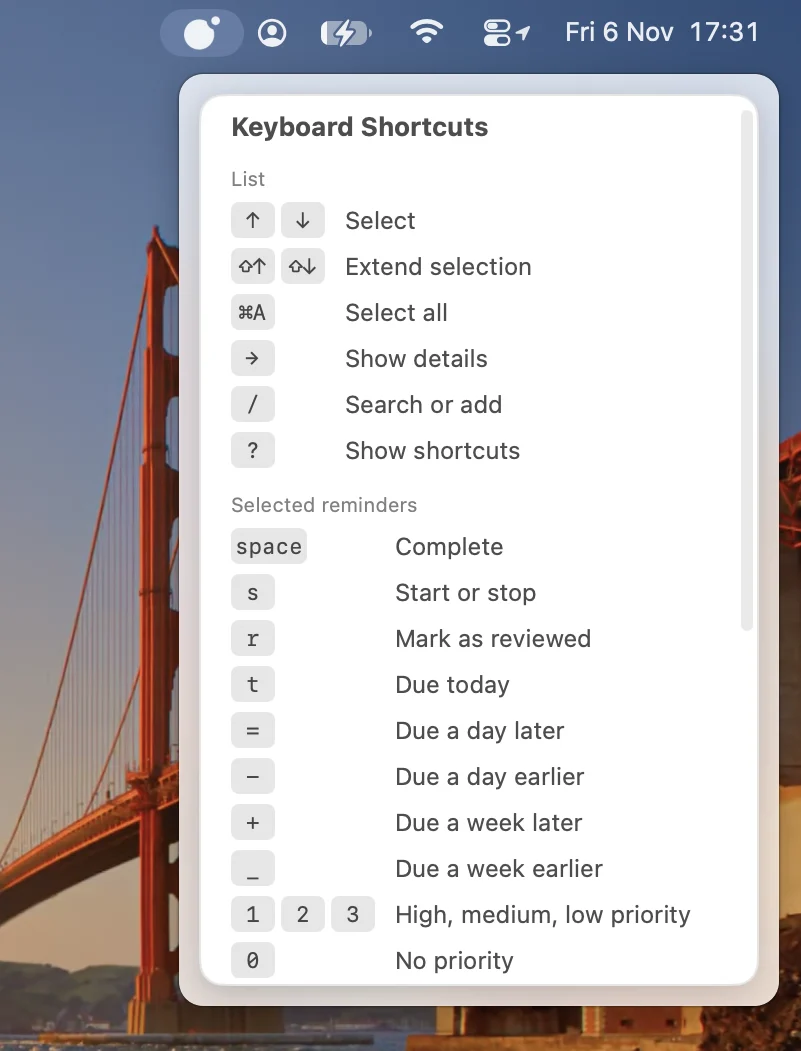
Move through your list, complete a reminder, set its priority, or push its due date back a day or a week, all with a single keystroke. Press ? to see every shortcut.
Nothing slips away
Reminders without a due date are easy to lose sight of. Cerquita brings them back up for review from time to time, marking them with an eye. You can choose how often for each priority level.